

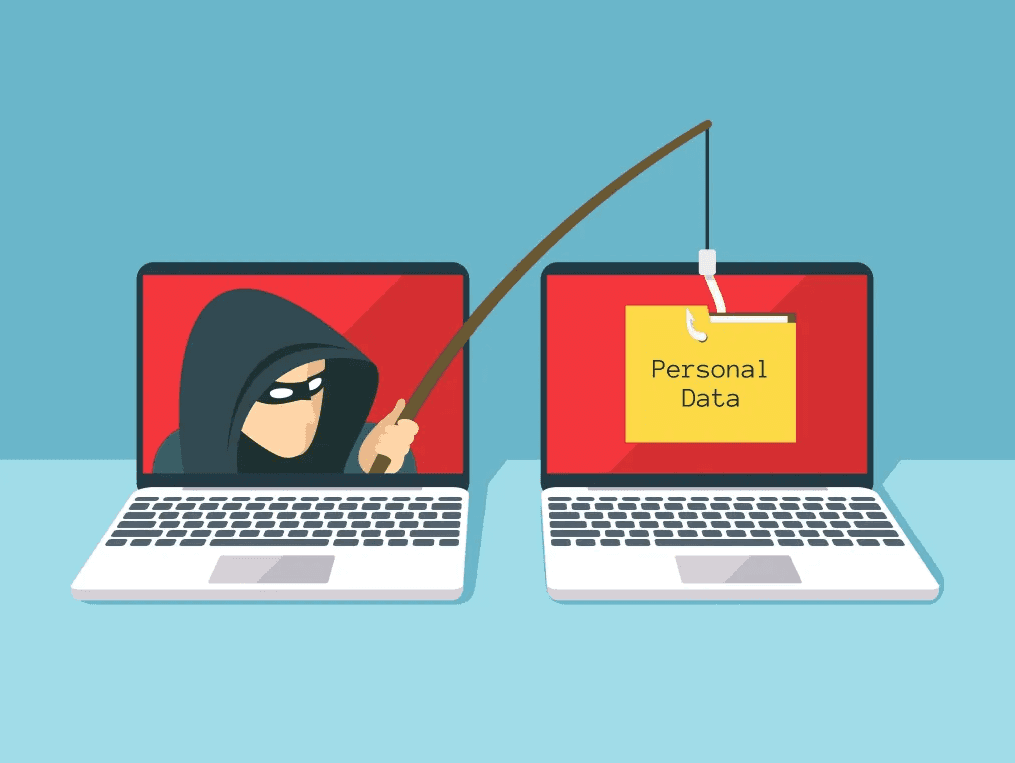
Be Especially Vigilant About Phishing E-Mails
Phishing e-mails remain the leading form of cyberattack, and the stakes are getting higher.
UBX Cloud
Most of you know what phishing e-mails are – and for those who don’t, we’ll offer a quick primer. But before we do that, we need you to know: It’s more important than ever to be vigilant about them now, and that means talking to your team on a regular basis to ensure they’re just as vigilant.
A phishing e-mail is a bogus message disguised as a serious one, designed to trick the recipient into opening an attachment or clicking a link that brings forth a cyberattack.
Attachments can turn out to be viruses – such as malware or ransomware – that can steal or corrupt your data, or encrypt it so you can’t access it until you pay the attacker a ransom.
The links you click lead you to unsafe websites that can release viruses or start making their way through your system to steal your data, or even grab control of your operating system.
They can also trick you in other ways, such as leading you to a website that looks like one you want to visit, and instructing you to enter log-in credentials that you think are safe – only to find out later that the seemingly familiar site was an imposter site, and the attackers now have your log-in credentials to be used on the real sites.
The phishing attacks are especially convincing these days as AI and deep fakes are enabling the creation of convincing (but fake) information, perhaps a video of a company’s own CEO, instructing users to take some sort of action that plays right into the hands of the attacker.
Some of the tricks are more subtle but still effective. An email might come from a domain that appears familiar but is slightly altered. Maybe you think you’re hearing from joe@lillymartin.com, but it’s really from joe@|i||ymartin.com. (Did you spot the difference?)
You trust Joe, or you would, if it was really Joe.
Some phishing emails are easier to spot. A common one appears to come from one of your own employees and asks for help with changing the bank information related to their direct-deposit setup for payroll. There’s a link to click, but if you look at the email address that actually sent the message, you’ll quickly recognize it’s not from who it appears to be from.
These details are important, but the most important one is that you and your people have to be paying attention.
The stakes are getting higher with these phishing attacks, as attackers are becoming more aggressive in their pursuit of your data and their use of ransomware to blackmail you into paying them.
All the more so because many of the phishing attacks are now automated using AI. All they need from your team is for one person to slip up and click or open once.
In order to keep that from happening – as inconvenient as this sounds – you have to teach your team members to view every single email with suspicion. That applies even if it appears to come from someone trustworthy. They need to:
- Always check the sending email address to make sure it actually belongs to the purported sender.
- Be extremely reticent about clicking links, and always mouse over every link to make sure it goes where it says it’s going and that it’s a safe destination.
- Don’t open any attachments unless you can confirm it’s safe.
- If you’re ever asked to enter log-in data in a site you link to from an e-mail, first confirm with the purported sender that this is a legitimate ask.
- Do not ever send money or provide financial data to anyone in response to an e-mail, especially an unsolicited one, without first confirming the sender is who it claims to be.
- Don’t ever insert a thumb drive into your computer unless you already know for sure what’s on it, and you know and trust who it came from. We’ve seen entire systems get wiped out because people inserted a thumb drive they found on the ground.
Phishing e-mails remain the leading form of cyberattack because you only need to trick one person into clicking or opening. As helpful as spam filters and other such tools may be, they’re not foolproof. The only thing that is will be best practices for your team members like those spelled out above.
And that won’t happen unless you prioritize it on a consistent basis. So do that.
Related Posts
All posts


Meet Your UBX Cloud India Team
The diverse perspectives of the U.S.- and India-based teams also help produce the best understanding of client needs and issues.

North Carolina Cyberattack Provides a Cautionary Tale to Every Professional Organization: Be Ready Or Else
Anyone who operates in and around the ports of Wilmington, Morehead City and Charlotte found out last week just how high the stakes are.
Disaster Recovery as a Service: Getting You Back in Action After a System Outage
We know you’re not going to be thinking about it on the day it happens. So let’s think about it now.