

Restoring S3 backups using Veeam
My coworker Yuvaraj and I were over thinking this WAY to much. I finally figured out how to do a full restore on a clean Veeam installation right out of the box.
Steven Panovski
My coworker Yuvaraj and I were over thinking this WAY to much. I finally figured out how to do a full restore on a clean Veeam installation right out of the box.
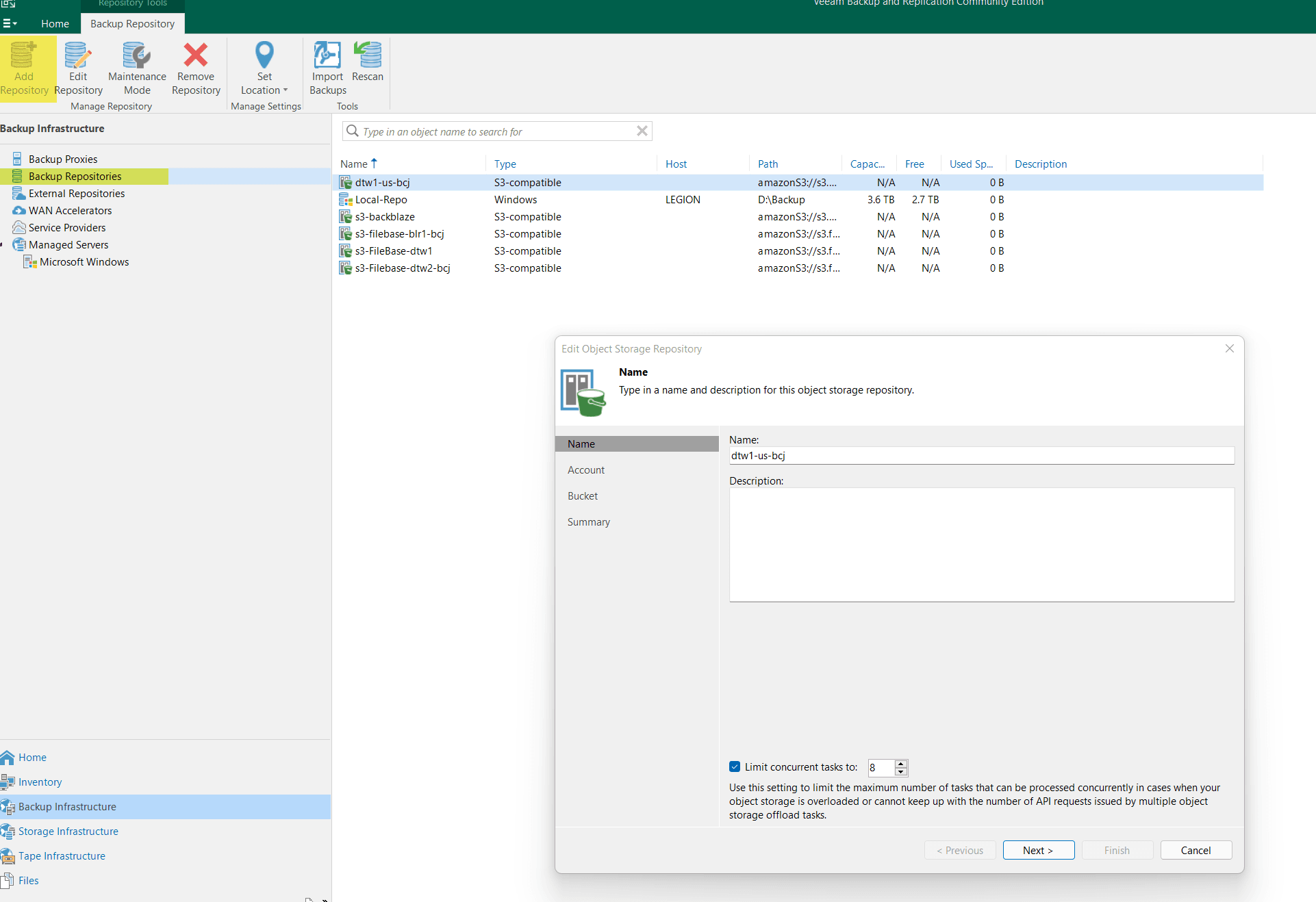
Add your S3 repository
Home ==> Backup Infrastructure ==> External Repositories
Confirm you have a valid bucket name, access key, and master key.
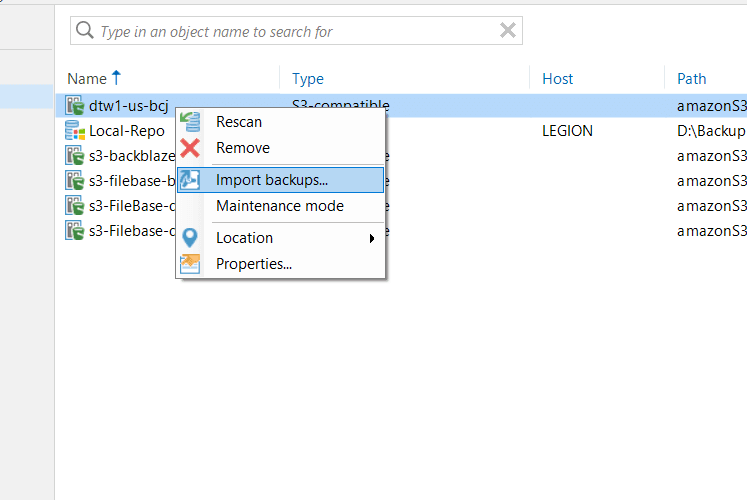
Import the backups from the S3 bucket into the Veeam
When the inventory scan of the S3 bucket is completed you will see the restore points in home menu.
Home ==> Backups ==> Object Storage (Imported)
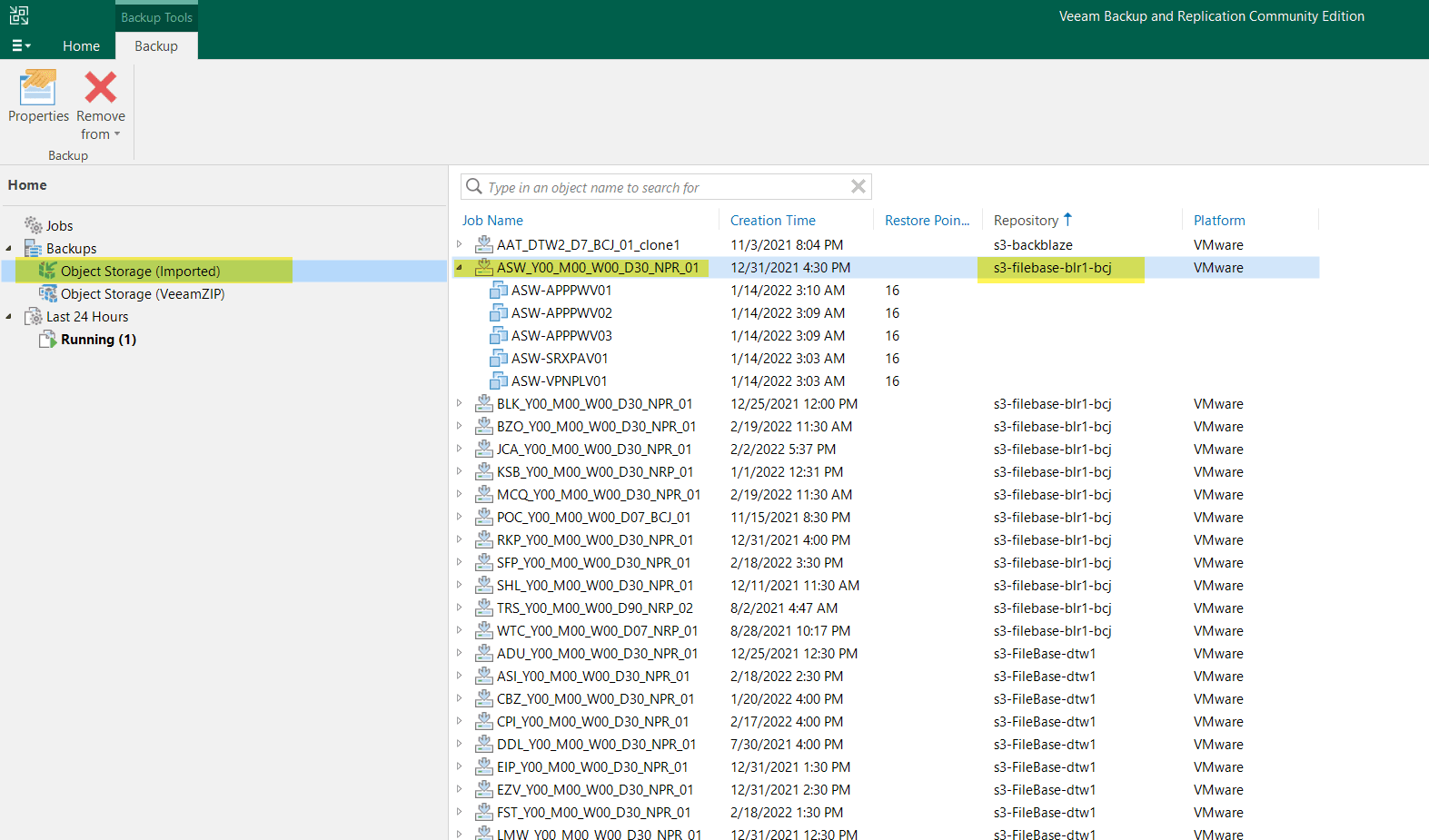
How a restore from an S3 object storage repository looks like

Related Posts
All posts

Cybersecurity Stocks Soared This Week, Because ‘Lost In Space’ Was Right About Agentic AI
If you’ve invested in cybersecurity stocks, you’ve had a very good few days.

Respect to Our Valued Team Members in Venezuela
We want to take a moment to recognize the exceptional strength and courage of our team members in Caracas, Venezuela.

How To Stay Safe and Compliant with Cybersecurity Requirements (Even the Ones You Don’t Know About)
Too many businesses don’t realize what their compliance requirements are.